
About
Chrome Logger is a Google Chrome extension for debugging server side applications in the Chrome console.
Most languages include their own logging capabilities, but sometimes it is easier to see your logs right in the browser.
Chrome Logger used to be known as ChromePHP.
If you are feeling generous, you can donate to help support development.
Usage
Using Chrome Logger is simple:
-
Install the Chrome Logger extension for Google Chrome.
-
Click the extension icon to enable logging for the current tab's domain (It will light up blue).

-
Install a server side library for your language.
- Python - http://github.com/ccampbell/chromelogger-python
- PHP - http://github.com/ccampbell/chromephp
- Ruby - http://github.com/cookrn/chrome_logger
- Node.js
- .NET - http://github.com/ChrisMissal/chromelogger
- ColdFusion - http://github.com/s992/chromelogger-cf
- Go - https://github.com/pilu/traffic-chromelogger
- Java - https://code.google.com/p/chromelogger4j
- Perl - https://metacpan.org/pod/Web::ChromeLogger
- Classic ASP - https://github.com/danielmarcoto/asp2console
Follow the instructions on those pages to get them up and running.
-
Add some log statements
# django example import chromelogger as console from django.http import HttpResponse def index(request): response = HttpResponse("Hello, world. You're at the poll index.") console.log('Hello console!') console.log(request.user) return response -
Check the console!

Configuring
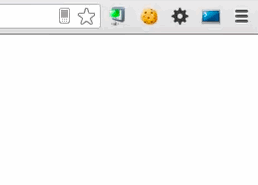
Chrome Logger has a few options. Right click on the extension icon and select Options to see them
Technical Stuff
Chrome Logger is an open protocol. Currently there are libraries available for PHP, Python, Ruby, and Node, but there is no reason to be limited to those languages. Go to the tech spec to see more information about how to create your own library.
Security
Please remember that Chrome Logger works by transmitting server data to the client via an HTTP header in the response. Therefore you should be aware that any data you send could be accessed by attackers and third-parties if you are not careful.
You should make sure to follow these best practices:
-
Do not send logs from a production environment
In your application you could handle this by reading a config file and only sending logs if it is a test/development/staging/qa environment.
-
Do not include any sensitive information with your logs
If you have to use Chrome Logger in a production environment for some reason then you should not log any data that an attacker or malicious individual could take advantage of.
Avoid things like session identifiers/credit card numbers/user passwords/etc.
-
Set up permissions so that only certain authenticated users will see the logs
If you need to have logs available in a production environment then you should set up roles/permissions so that only admins and support personnel can see them
Support
If you are having trouble or need help open up a ticket on GitHub.